55 Canva Templates for Sublimation: A Designer's Toolkit
Finding the right starting point for a sublimation project can be the most time-consuming part. You know the final product in your mind—a vibrant mug, a detailed tumbler, a custom phone case—but translating that vision onto a printable sheet requires the right framework. This is where having a reliable set of templates shifts from a nice-to-have to an essential part of your workflow. The collection of 55 Canva Templates for Sublimation is built precisely for this purpose, offering a structured, ready-to-use foundation for anyone working with product blanks.
At its core, this is a curated library of digital frames and layouts designed within Canva. Think of it less as a single typeface and more as a comprehensive design asset system. Each template provides a defined shape and layout area, pre-configured to fit the specific dimensions of sublimation blanks sold by JPPlus. The visual personality here isn't about ornate typography; it's about clean, functional precision. The style is practical and modern, prioritizing clarity and ease of use over decorative flair. This makes it incredibly versatile, appealing to a wide range of creators—from small business owners producing branded merchandise to hobbyists making personalized gifts.
Streamlining Your Creative Process
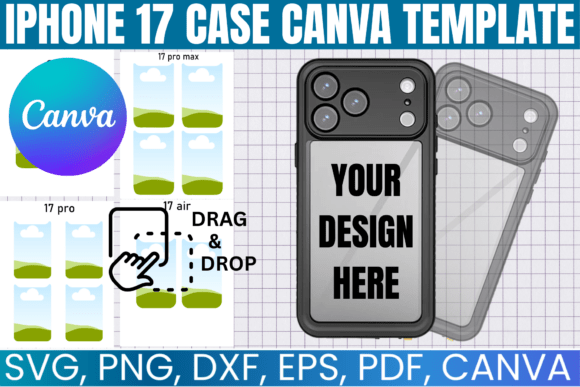
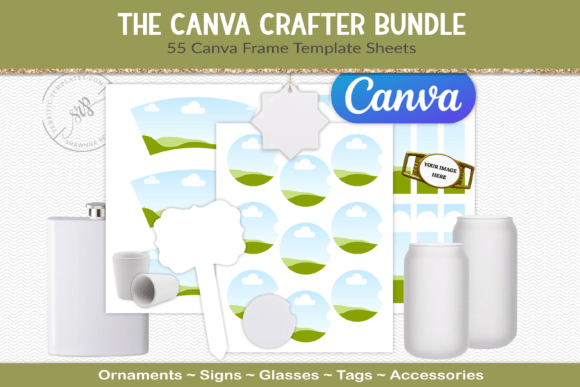
The real-world value of these templates lies in how they solve common workflow bottlenecks. Instead of manually measuring and creating custom-sized artboards for every new mug or coaster, you simply open the corresponding template in Canva. The guesswork is eliminated. You receive easy-to-navigate preview images, so you can quickly identify which template matches your specific blank. A file size guide for each template further removes ambiguity, ensuring your final design prints at the correct resolution without pixelation or cropping issues. This structured approach directly influences your project's professionalism and consistency, which are critical for anyone building a brand identity or selling products.
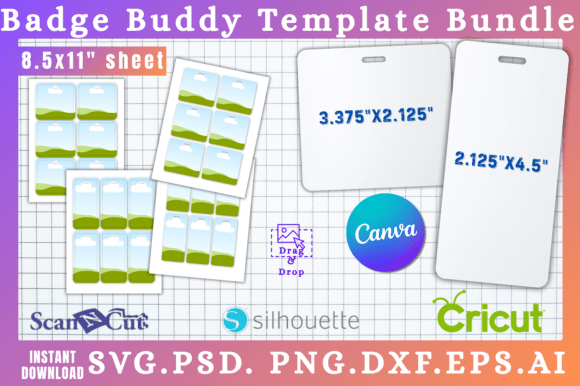
Consider the applications. For an entrepreneur launching a line of sublimated drinkware, these templates allow you to rapidly prototype designs for different tumbler sizes. A blogger creating merchandise for their audience can maintain visual consistency across products like keychains, coasters, and ornaments. The templates are arranged on an 8.5 x 11" sheet, a standard that makes them accessible for home printing and easy to manage digitally. This focus on practical, commercial-ready formatting is what makes them a valuable part of your design assets toolkit. They function much like a well-crafted commercial font—reliable, consistent, and built to perform across various contexts.
Practical Guidance for Template Integration
Choosing to work with a template system like this is a strategic decision. Start by evaluating the specific product blanks you use most frequently. The collection's strength is its direct compatibility with JPPlus blanks, so if that's your supplier, the fit is immediate. For those using other blanks, the templates still provide an excellent starting point for understanding safe print zones and proportions, though you may need to adjust dimensions slightly.
Treat these frames as the skeleton of your design. Once you select a template, your focus shifts to the creative elements: selecting a premium font for any text, choosing complementary graphics, and establishing a color palette that aligns with your brand. This is where principles of font pairing and visual hierarchy come into play. A script font might work beautifully for a wedding-themed ornament, while a clean sans serif font is ideal for modern, minimalist branding on a tumbler. The template provides the container; you provide the creative vision.
Always test your final design within the template frame before committing to a print run. Use Canva's tools to check alignment and ensure critical elements are within the safe area. Consider how the design will wrap around a cylindrical object like a mug—what looks flat on screen will curve on the product. The predictability offered by these templates allows you to focus on these nuanced design considerations rather than technical setup. It’s a practical application of modern typography and layout principles within a constrained, product-specific environment.
Beyond the Basics: Maximizing Your Investment
Think of this collection not as a one-time fix but as a scalable resource. As your product line grows, you can revisit the templates to create seasonal variations, limited editions, or customer-requested designs with remarkable speed. The consistency they enforce is a silent ambassador for your brand's professionalism. When a customer receives a product where the design is perfectly placed and proportioned, it builds trust and recognition—key components of a strong brand identity.
For those in editorial design or web design, the principle is transferable. While the templates are for physical products, the discipline of working within defined frames and respecting safe zones is fundamental to all design work. It trains your eye for visual hierarchy and spatial awareness. Furthermore, the efficiency gained frees up mental energy for the more creative aspects of your work, whether that's crafting compelling social media graphics or developing a cohesive logo design system.
In essence, the 55 Canva Templates for Sublimation offer a practical, no-nonsense solution to a specific production challenge. They are a behind-the-scenes workhorse, enabling you to produce polished, consistent sublimated goods efficiently. By integrating them into your workflow, you're not just buying frames; you're investing in a more streamlined, professional, and scalable creative process. This allows you to spend less time on technical setup and more time on what truly matters: creating designs that connect with your audience and build your business.