iPhone 17 Case Canva Templates: Your Design Toolkit
Creating a truly custom phone case used to be a complex process. It often involved wrestling with rigid design software, measuring exact dimensions, and hoping the final product matched your vision. The arrival of the iPhone 17 series presents a fresh canvas for personalization, and with the right tools, bringing your ideas to life can be straightforward and even enjoyable. This is where a well-crafted set of iPhone 17 case Canva templates changes the game, offering a practical bridge between a creative spark and a tangible, professional-looking product.
Beyond a Simple Outline: What These Templates Offer
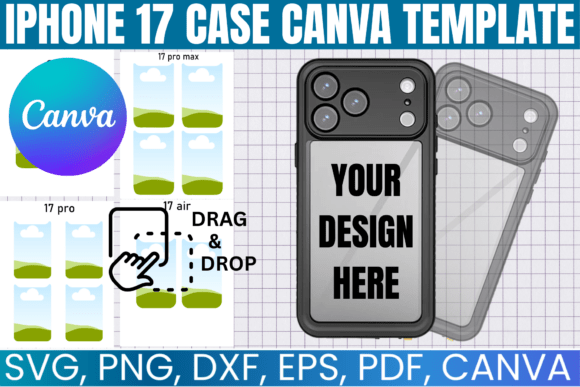
At first glance, you might think of a template as just a shape. But a quality template bundle for the iPhone 17, iPhone 17 Pro, iPhone 17 Pro Max, and the anticipated iPhone 17 Air is much more. It’s a precise, layered design system. Think of it as the foundational design assets for your entire phone case project. Each template accurately reflects the device’s contours, camera cutout, and button placements. This isn’t just about outer dimensions; it’s about ensuring your artwork wraps perfectly without critical details getting lost behind a lens or button.
The real power lies in the included formats. You receive files compatible with professional design programs like Adobe Photoshop and Illustrator, as well as cut-ready formats like SVG and DXF for crafters using Cricut or Silhouette machines. However, the standout feature is the direct Canva link. This opens a fully editable, drag-and-drop version of the template right in your browser. For many creators—marketers, small business owners, or hobbyists—this eliminates the software learning curve entirely. You can upload your graphics, arrange your typography, and mock up a finished design in minutes, all within a familiar platform.
From Digital Mockup to Physical Product: The Workflow
The journey from an idea to a held-in-your-hand case is designed to be seamless. After purchasing, you gain instant access to your files. The included PDF guide typically provides a direct link to open the Canva template. Here, you’re working within a true modern typography and design environment. You can experiment with layouts, test font pairings for text-based designs, and apply your brand’s color palette with ease.
For those focused on sublimation printing, these templates are sublimation ready. This means the dimensions and bleed areas are set correctly for the heat-transfer process, which is crucial for avoiding white edges or misaligned prints. You design, export the file as a high-resolution PNG or PDF, and send it to your sublimation printer or a print-on-demand service. For digital creators, the same template serves as a perfect digital product mockup. You can place your artwork into the template, add a realistic background, and create stunning product images for your online store or social media marketing—no physical sample required initially.
This workflow supports a variety of real-world applications. A graphic designer can quickly create a series of cases for a client’s brand identity. An entrepreneur can test multiple designs for a small business product line. A crafter can make personalized gifts for family reunions or weddings. The templates act as a consistent starting point, ensuring every project begins with professional accuracy.
Choosing Your Template and Ensuring a Perfect Fit
With multiple models included, your first step is selecting the correct template. This sounds obvious, but it’s the most common pitfall. A design for the iPhone 17 Pro Max will not fit the smaller iPhone 17 Pro or the slimmer iPhone 17 Air. Each has a unique form factor. Once you’ve selected the right device template, take a moment to study its layers. In Canva, you might see separate layers for the case body, camera cutout, and safe zone for design. Understanding this structure helps you place important elements—like a logo or a person’s face—where they won’t be obscured.
When designing, think about visual hierarchy. A phone case is a small, highly personal packaging design. What’s the focal point? Is it a bold display font for a name? A detailed illustration? A subtle, textured pattern? The template provides the boundaries; your creativity defines the personality. For text-heavy designs, consider readability. A flowing script font might look beautiful on screen but could be hard to read at case-scale. Pair it with a clean sans serif font for any secondary information. This thoughtful approach elevates a simple custom case into a piece of functional editorial design.
Finally, remember the licensing. These templates are provided for personal and commercial use, specifically for the finished products you create. You can sell the physical cases you design, but you cannot resell or redistribute the digital template files themselves. This is standard for commercial font and asset licenses and protects the value of the resource for all creators.
Ultimately, these iPhone 17 case Canva templates are less about the technology and more about enabling expression. They remove technical barriers, whether in software or print specifications, letting you focus on what matters: creating something unique, marketable, or personally meaningful. They are a practical design asset for anyone looking to tap into the booming market of personalized tech accessories with confidence and efficiency.