Design Pro-Quality Packaging with Chip Can Label SVGs
The Anatomy of a Perfect Product Label
When you're packaging a specialty product like gourmet chips, artisan snacks, or even homemade spice blends, the label does most of the talking before anyone tastes a single bite. A poorly designed label signals low effort, while a polished, well-proportioned label builds instant trust. That's exactly why having the right design assets on hand matters more than most people realize.
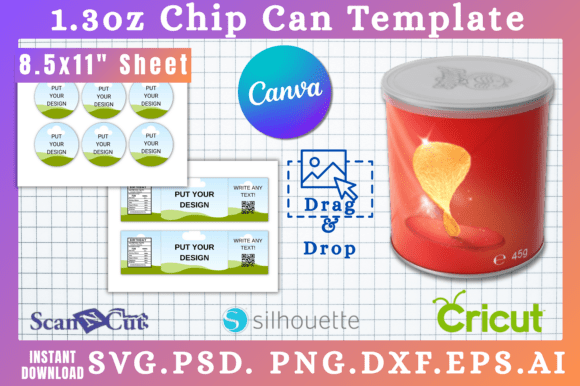
The 1.3oz Chip Can Label Set SVG Templates solve a surprisingly common problem: getting your artwork to fit a cylindrical container without guesswork, wasted material, or awkward seams. These templates are built specifically for 1.3-ounce chip cans—the kind you'd find holding pringles-style snacks or small specialty treats. The label area measures 9.3 inches wide by 8.2 inches tall, which gives you real estate to work with logos, nutritional information, ingredient lists, and branding elements without feeling cramped.
What makes these templates genuinely useful is the attention to dimensional accuracy. Every curve, every tab, every overlap zone has been accounted for so your printed label wraps cleanly around the can. If you've ever tried to eyeball a cylindrical label from scratch, you know how frustrating it is when the edges don't meet properly or the text distorts at the seam.
Six File Formats That Actually Cover Your Workflow
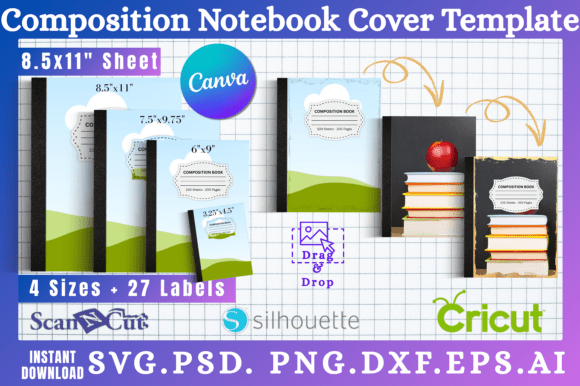
One of the standout aspects of this set is the range of included formats. Rather than forcing you into a single piece of software, the download includes SVG, PNG, DXF, PDF, PSD, and a Canva link. That's not just a checklist—it's a genuine attempt to meet designers and small business owners wherever they already work.
The SVG format is the go-to for anyone using Cricut Design Space or Silhouette Studio. If you're cutting labels from vinyl or specialty paper, the vector paths stay clean and scalable at any resolution. No pixelation, no blurry edges. For those working in Adobe Photoshop, the PSD file gives you layered editing capability, which is essential when you need to adjust individual elements without rebuilding the entire layout.
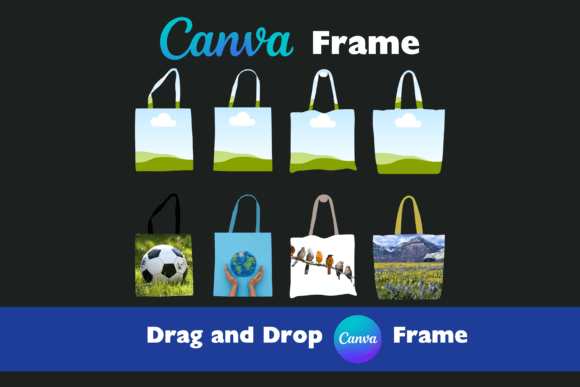
The Canva link deserves special mention. Not everyone has access to professional design software, and not every project warrants it. If you're a small food brand owner creating seasonal packaging or a hobbyist making gift labels for a bake sale, being able to open a template directly in Canva—even with a free account—removes a significant barrier to entry. Drag your logo in, swap the text, adjust colors, and you're ready to export for printing.
The DXF format supports Silhouette Studio users who prefer that ecosystem, while the PDF with a clean white background works perfectly for sending to a print shop or doing test prints on your home printer. The PNG file features a transparent background, which is helpful when you're layering the label design over mockups or product photography for your website or social media graphics.
Where These Templates Fit Into Real Projects
Think beyond just chip cans. The underlying structure of a cylindrical label template applies to a wide range of packaging design projects. Small candle tins, lip balm tubes, spice jars, and promotional product containers all share similar dimensional constraints. Once you understand how the template's curves and panels work, adapting the design for similar-sized containers becomes straightforward.
For brand identity work, these templates serve as a practical testing ground. You might have a beautiful logo and a strong color palette, but how does that visual system hold up on a small, curved surface? Applying your branding to a physical product template reveals problems that flat screen mockups miss. Text that reads perfectly on a business card might become illegible at 8-point size wrapped around a narrow can. Colors that pop on a monitor might look muddy when printed on matte paper stock.
Entrepreneurs launching subscription box snacks, farmers market vendors, and Etsy shop owners will find these templates especially practical. Instead of paying a designer hundreds of dollars every time you need a new seasonal label variation, you can iterate on your own schedule. Change the flavor name, swap a background color, add a limited-edition badge—these are edits that take minutes in Canva or Silhouette Studio, not hours.
Pairing Typography and Visual Elements on Curved Surfaces
Working with labels for cylindrical containers introduces typography challenges that flat print projects don't. Text needs to remain readable as the surface curves away from the viewer's eye line. This means your font pairing choices matter more than usual. A bold display font for the product name works well on the front-facing panel, but body text like ingredients and nutritional facts demands a clean sans serif font at a size that won't blur when printed on textured stock.
Avoid overly ornate script fonts or handwritten fonts for anything that needs to be read quickly. Save those for accent elements—a tagline, a "small batch" callout, or a decorative flourish. The primary product information should use a typeface with generous letter spacing and consistent stroke weight. This isn't about being boring; it's about respecting the physical constraints of the medium.
Consider how your label design will look in a stack, on a shelf, or in a product photo. The visual hierarchy needs to work from multiple angles and distances. Your brand name should be identifiable from three feet away. The flavor or variety should be scannable at arm's length. Fine print can be reserved for close-up reading. This layered approach to readability is what separates amateur packaging from professional product presentation.
Practical Steps Before You Print
Before committing to a full print run, always do a test print at actual size. Hold the printed label against your container and check alignment. Does the seam line up? Is there enough overlap for adhesive? Are any critical design elements landing on the back seam where they'll be hidden?
Export your final design at the highest resolution your printer or print shop requires—typically 300 DPI for professional printing. If you're using the SVG or PSD files, you have the flexibility to adjust resolution without quality loss. The PDF export is your safest bet for commercial printing because it preserves color profiles and embedded fonts.
For commercial use, confirm that your chosen fonts and any stock imagery within your design carry appropriate licensing for product packaging. The template itself gives you the structural foundation, but the creative elements you layer on top need their own clearance for commercial distribution.
These 1.3oz Chip Can Label Set SVG Templates aren't just files—they're a starting point that removes the technical barrier between your idea and a finished, print-ready product. Whether you're building a food brand, creating party favors, or prototyping packaging for a client pitch, having accurate, editable templates saves time, reduces waste, and lets you focus on the creative work that actually matters.